

Why Cut a Long Video Into Short Ones
A long video mostly reaches people who already follow you. Short vertical videos reach the ones who do not, and Shorts, Reels and TikTok all play 9:16, so a single vertical file can travel to all three. Splitting by hand means watching everything, noting where each idea starts and ends, and cropping every piece. Here the splitting is done for you.
What makes a passage stand on its own
A passage works alone when it opens on its point, needs nothing said earlier to be understood, and stops before it drifts. Those are the passages Klipa looks for in your recording, and it returns each of them as a separate short video.
One recording, a week of posts
An hour of talk often hides a handful of such passages. Spread them out and one recording fills a week of publishing, with your original kept intact next to the new files. Everything comes from your own footage: nothing is invented, and nothing is published for you.
Fine-tuning the selection
This page is about the transformation itself. For the detailed controls over goals, instructions and clip count, head to AI Clips.

What the tool produces
How to split a long video into short videos
Bring the recording
Upload the file or paste a link: your own YouTube video works, as do links from TikTok, Vimeo, Dailymotion, Twitter/X, Facebook, Instagram, Twitch, Streamable, Reddit, Pinterest, Snapchat, Kick, Bluesky, 9GAG, Odysee, Coub, Tumblr, Rumble. Anything under 60 seconds is too short to split.
Tell it what you are after
Keep the default goal or pick Viral clips, Best moments or Key ideas, and add a short instruction or favourite topics. Then choose the shape the videos should take: vertical for phones, or square or horizontal. Captions are on unless you switch them off.
Review and keep the best
Play each short video, compare their scores and download the ones you want. Run it again with another goal or another shape whenever you like; your original is never changed.
What you get from a long video split by Klipa
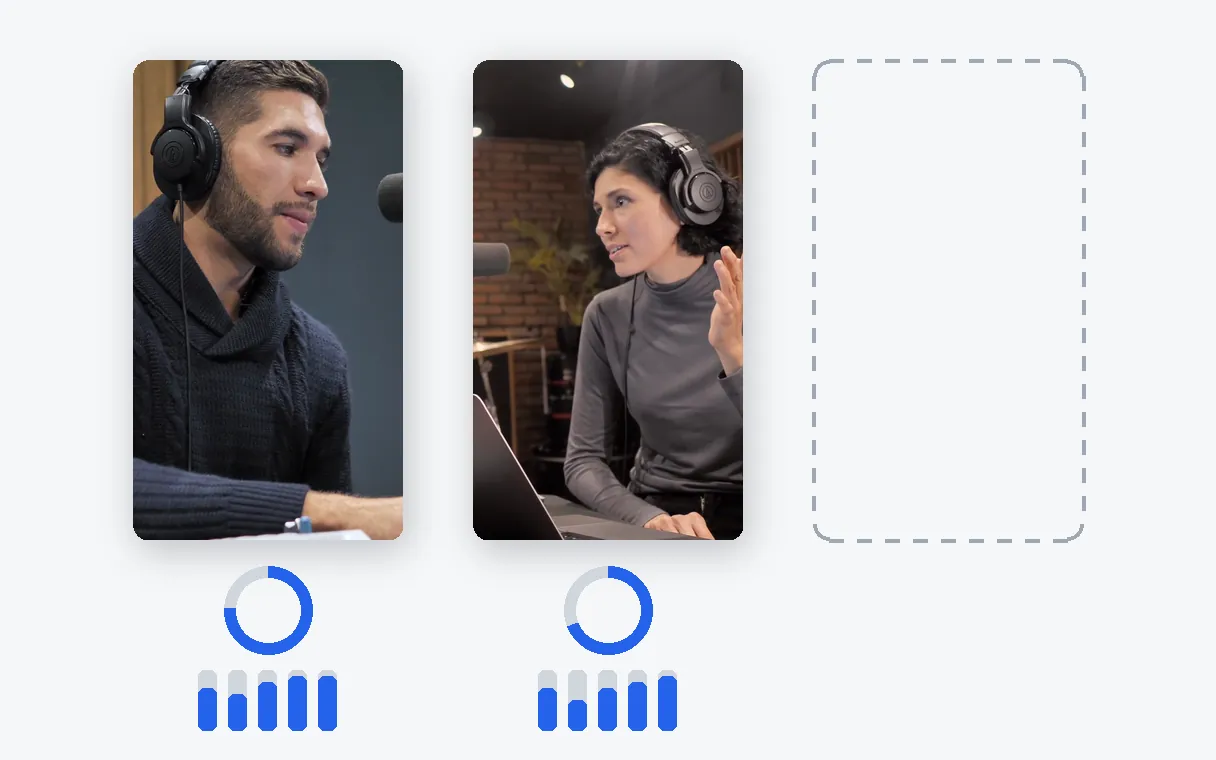
Each short video earns its place
A passage is kept because it holds up alone, and it arrives with a score out of 10 and its breakdown so you can see why it was picked. With only two strong passages in the recording, you receive two short videos and a note saying so.
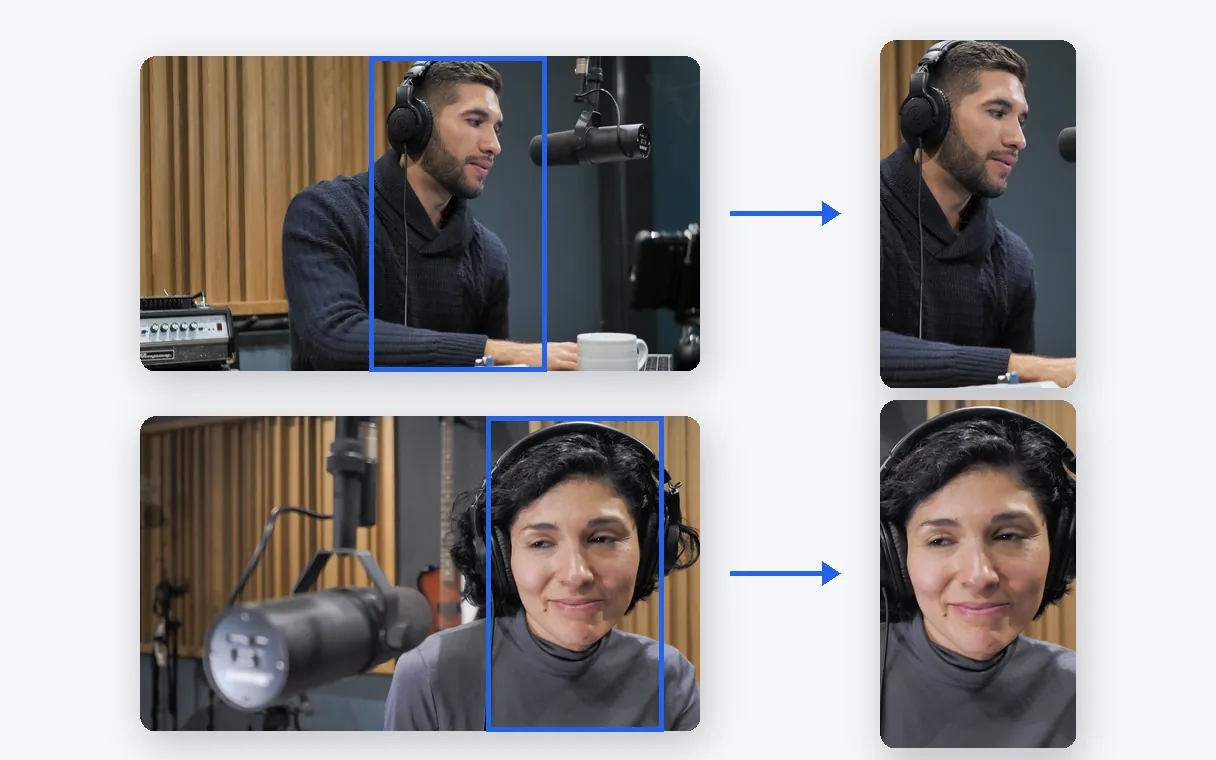
Vertical, framed on the person talking
The crop follows whoever is on screen, so nobody ends up half out of frame when the video turns vertical.
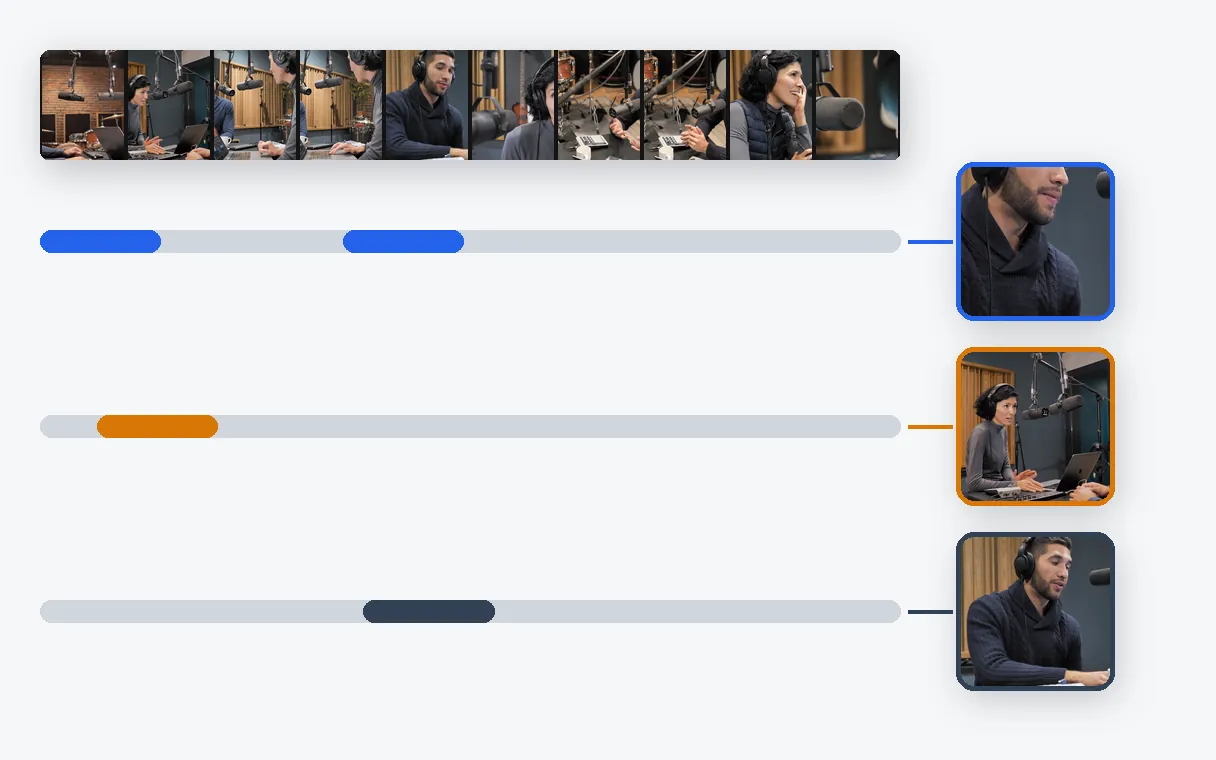
Not the right picks? Run it again
Start over with another goal or a new instruction, and the same recording can yield a different set of short videos. The original file is never touched.
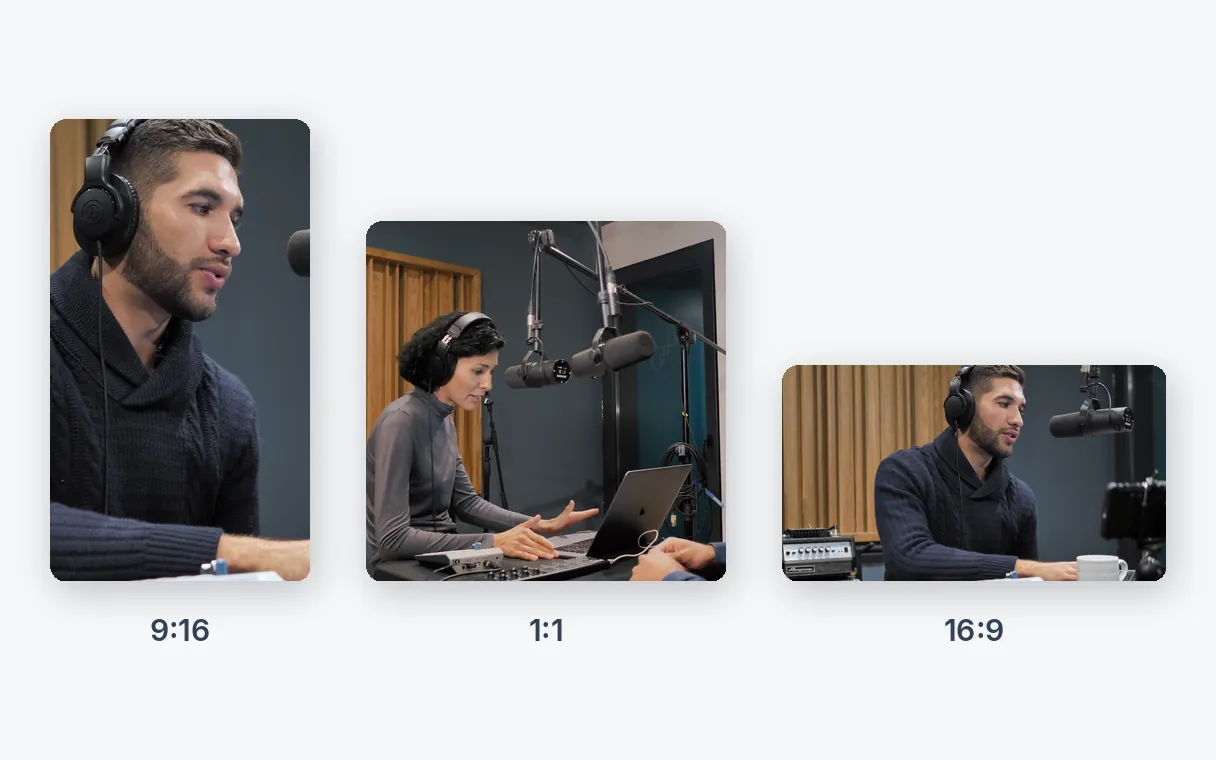
One recording, three shapes
The same recording can come out vertical for phones, square for feeds or horizontal for a website. You pick the shape for each run.
Long recordings worth splitting
Founder talks and keynotes
The one answer people quote afterwards deserves its own video, not a place at minute forty.
Online courses
A lesson holds several complete ideas. Each can become a short video that works as a teaser or a quick refresher.
Product demos
Long walkthroughs become short videos, one per feature worth showing.
Your own YouTube back catalogue
Paste the link of an older video from your channel and give it a second life as vertical posts.
Radio and studio shows
A two-hour show holds a handful of moments worth replaying on their own.
Related Tools
Long video to short video: your questions
Why turn a long video into short videos?
Short vertical videos are what people scroll through on Shorts, Reels and TikTok, and they reach viewers who would never sit through the full recording. One long video can feed many posts instead of a single upload.
Which aspect ratio suits vertical videos for phones?
Shorts, Reels and TikTok all play vertical video in 9:16, so one vertical file serves them all. Klipa crops your recording to that shape and keeps the speaker in frame. You then upload the files yourself.
Can I decide which part of the video becomes a short video?
Yes, in two ways. Pick Viral clips, Best moments or Key ideas, and add a short instruction or favourite topics to point the search at what matters to you. Keep the default goal and no instruction, and Klipa chooses on its own.
What happens to my original video?
Nothing. It is never edited or overwritten. The short videos are new files, so you can run the same recording again later.
Do I need editing skills, and what does it cost to try?
No skills needed: you trim, crop and time nothing yourself. The trial is free: 20 credits are included to try the tool. Watching and downloading the results costs nothing more; a Pass or a Pro subscription delivers them without the logo.
What if nobody speaks in my video?
The moments are then chosen from the images instead of the speech, within set limits. Captions need speech, so a silent recording comes out without them.
Can I split an old video from my own channel?
Yes. Paste the address of your own YouTube video, or upload the file if you still have it. A YouTube link is meant for your own videos only.
Can I run the same recording again with another goal?
Yes. Start a new run with a different goal or instruction and you get a different selection from the same recording.
Can a short video be square or horizontal instead of vertical?
Yes. Besides 9:16 you can choose 4:5, 1:1 or 16:9. Each run produces one shape, so start another run to get another shape.
What makes a passage worth posting by itself?
It opens on its point, is understandable without what came before, and ends cleanly. That is what Klipa favours, and the score attached to each short video tells you how it fared. You stay the judge of what goes out.
Split your long video into short ones
Bring one recording, get vertical videos back.
No credit card required
One recording, many chances to be seen
The best minute of a long video rarely gets watched where it sits. Pulled out and framed for a phone, it can finally travel. Klipa finds those minutes and hands them over as files ready to download.
To reframe a complete video to vertical without picking moments, use Video to Shorts. To put captions on a whole video, try Animated subtitles.
