

Shoot Slow Motion Video on iPhone Like a Pro
Your iPhone doesn’t truly slow down footage in post. It captures 120 or 240 frames per second, then plays them at 30 fps, stretching one second of action into four…
To enhance a video, upload it and Klipa corrects its light automatically: a video that is too dark is brightened, an overexposed or backlit one is softened, haze is removed and grain reduced. Nothing to learn, and the sound, duration and frame rate of your file stay exactly the same.
A brightness slider lifts every pixel by the same amount: the dark corner comes back, but the window turns white and the blacks go grey. Klipa works region by region instead — shadows are lifted, highlights held back — which is why a face can reappear in front of a window without burning out the view outside.
The correction brings back what the camera recorded but hid in shadow or glare. It cannot invent what was never captured: a fully black frame or a pure white area stays empty. With Pro, quality can reach Full HD (1080p), and with Studio 4K Ultra HD (2160p), if the original video allows it. Need a lighter file? Use our video compressor.

Drop your file (MP4, MOV, AVI, MKV or WebM, up to 2 GB) or pick it from your device.
Nothing to set: exposure, contrast, colour and grain are corrected shot by shot, and black bars are left untouched.
Download an MP4: original sound, length and frame rate, resolution kept up to your plan's maximum quality — with the Klipa logo on the free plan, without it with a Pass or a Pro subscription. The sharpness trial is computed at the resolution of your full video: what you judge is exactly what you will get.
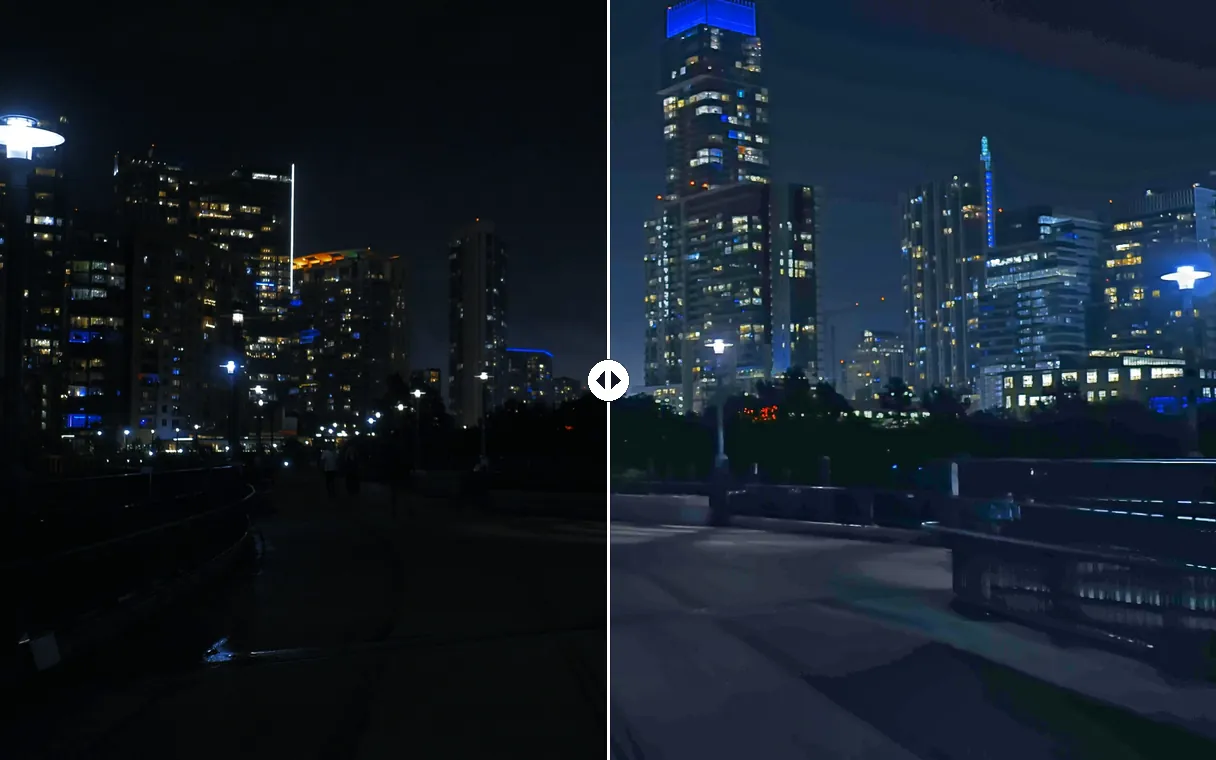
Filmed at night, indoors or in a dim room? Shadows are lifted area by area, so faces and details reappear without turning the whole picture grey.
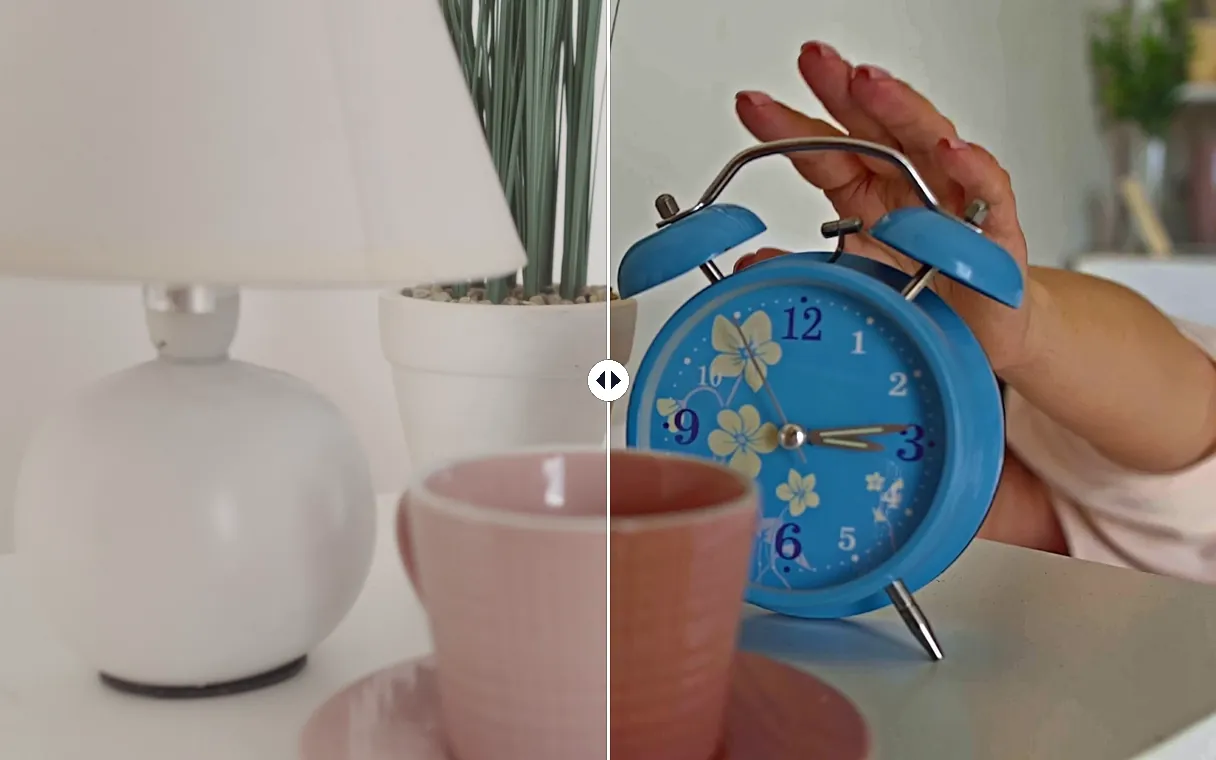
A face against a bright window, a hazy or overexposed landscape: bright areas are pulled back, and lost colour and contrast return.
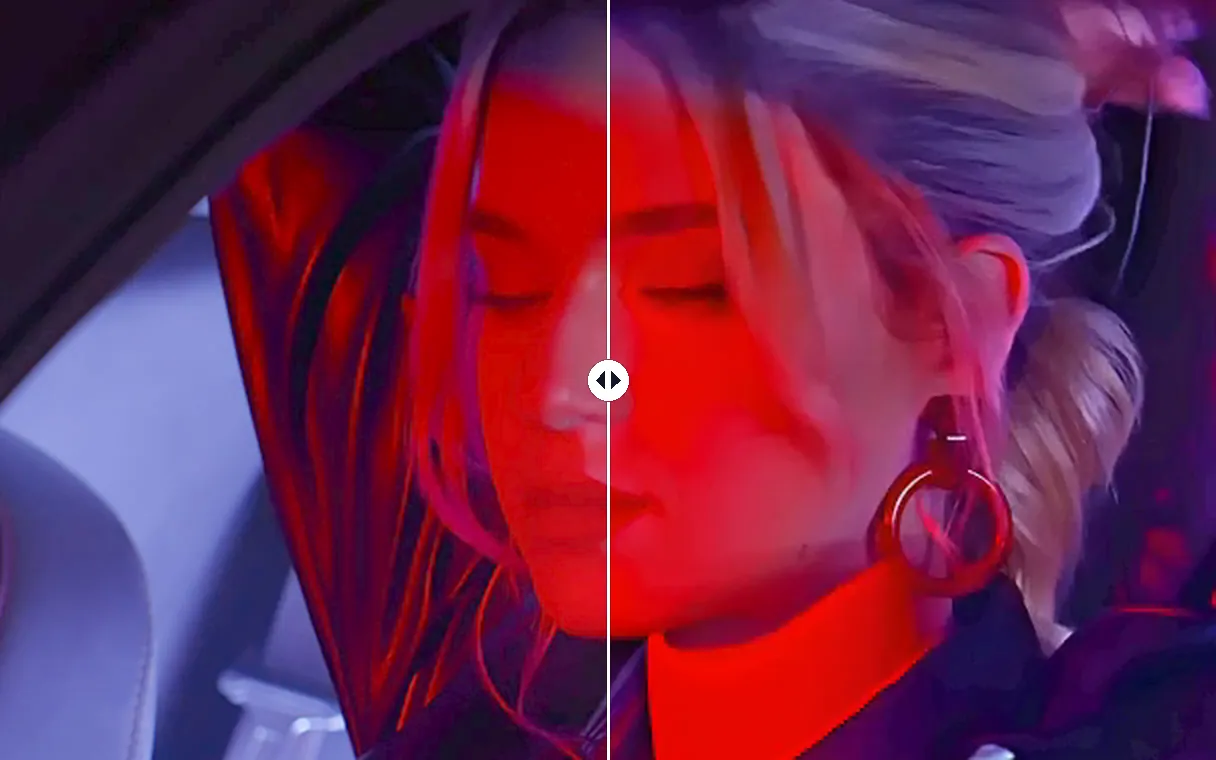
A brightness slider washes everything out and amplifies grain. Here shadows are lifted without a grey veil, and low-light grain is cleaned before brightening, so skin and textures stay natural.
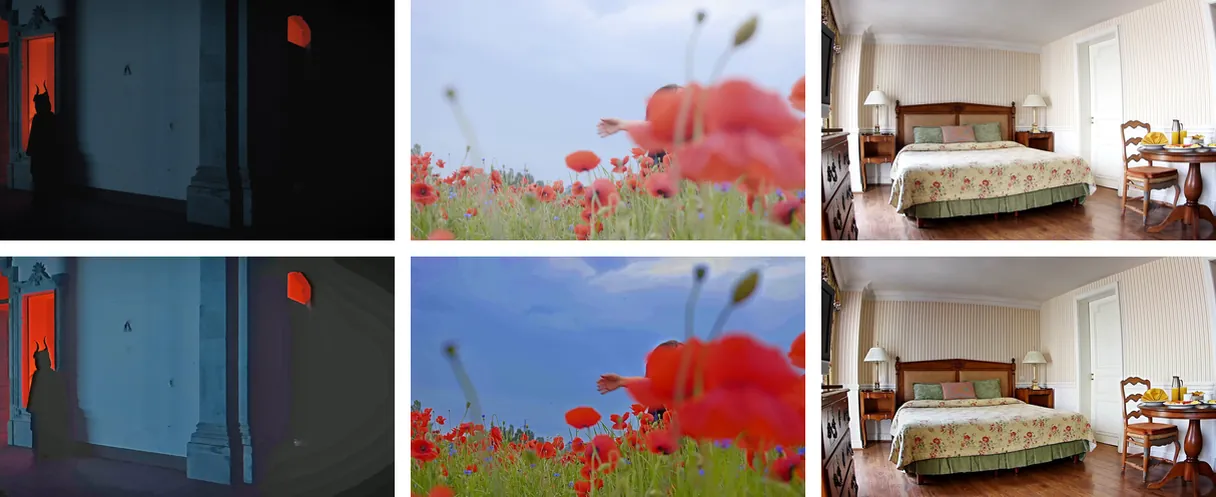
Each scene gets its own correction, eased in over time: no flicker, no pumping, and a clip that is already well lit stays natural.
Birthdays, concerts, restaurants, evening walks: clips filmed with too little light become watchable and shareable again.
A recorded call or a vlog shot in a dim room: the face gets its light back without buying a ring light.
A speaker sitting in front of daylight looks like a silhouette. The face comes back while the view outside stays readable.
Faded, foggy or flat footage regains contrast and colour before being posted again.
Upload the video on this page: the light is corrected automatically, with nothing to adjust, and you download the result as an MP4. To get your video without the logo, take a Pass for that video or a Pro subscription.
Usually, yes. A phone records far more in the shadows than the screen shows, and the enhancer brings that detail back. Only what was never recorded can't be recovered — a frame that is completely black stays black.
The same way: upload it. Bright areas are pulled back, the subject in front of a window is lightened, and haze is cleared so colours return. An area burned to pure white holds no detail, so it stays light.
Yes, when the original video allows it. The correction brings back what the camera recorded but hid in shadow or glare. It cannot invent what was never captured: a fully black frame or a pure white area stays empty. With Pro, quality can reach Full HD (1080p), and with Studio 4K Ultra HD (2160p).
Much less than a brightness slider. Dark footage is cleaned of grain before it is brightened, and the cleaning is stronger when the video is darker, so textures stay natural instead of noisy.
Yes. The audio track is copied as is whenever the MP4 container allows it, the duration and the exact frame rate do not change — a 29.97 fps video comes back at 29.97 — and the black bars around the image stay black instead of turning grey.
Yes: without a subscription, the enhanced video carries the Klipa logo. To download it clean, get a Pass for that video or a Pro plan — the result is identical, without the logo.
MP4, MOV, AVI, MKV and WebM files up to 2 GB.

Your iPhone doesn’t truly slow down footage in post. It captures 120 or 240 frames per second, then plays them at 30 fps, stretching one second of action into four…

Ever watched a video and been captivated by its unique visual atmosphere? That’s the power of color. But achieving that look involves two distinct yet related…

You’ve shot your video, trimmed the clips, and arranged them on the timeline. But the edit still feels… flat. The secret to transforming raw footage into…
Too dark, backlit, washed-out or grainy — corrected automatically.
No credit card required
