

iPhone Slow Motion Video to Normal Speed & Sendable Size
Your iPhone slow motion video is not one slowed-down movie. It is a 120fps or 240fps stream plus a small instruction hidden in the MOV file that tells Apple’s…
You filmed a golf swing, a dog shaking off water or a skateboard trick, and it was over in a blink. Slow motion lets the eye catch what the moment hid. This page turns an ordinary video file into a slower one: you choose how much slower, and the whole clip plays at that pace, sound included.
The slider opens on 0.5x, half speed, which is where most people start: a ten-second clip becomes twenty seconds. It goes down to 0.25x, four times slower, and up to 4x if you change your mind. The sound is slowed along with the picture and stays in sync, and voices keep a natural pitch instead of dropping into a growl. A clip with no sound track is simply processed without one.
One limit deserves to be said plainly. Slowing a video stretches the images you already have; it does not create new ones in between. Footage shot at 30 frames per second and slowed to 0.25x shows each image for a long moment, so it can look a little jerky. Nothing here guesses the missing frames, so do not expect the silky look of a camera that filmed in slow motion from the start.
The best material is footage recorded at a high frame rate, such as 60, 120 or 240 images per second. What your eye sees is the original rate multiplied by the speed: 60 images per second played at 0.5x gives the feel of 30, and 120 played at 0.25x does too. If your file is ordinary 30 frames per second, stay between 0.5x and 0.75x, where the effect still reads as slow motion and not as a slideshow. Good light and a steady camera help as well.
Slow motion earns its place on short, visual moments: an impact, a splash, a gesture, a reaction. A long talking scene stretched to double length mostly tests the patience of your viewers, so choose the instants that carry the action and leave the rest at normal speed.
The speed applies evenly to the whole video. If only two seconds deserve slow motion, cut them out first, slow that short piece down, and you get a clip that is ready to post.

Choose an MP4, MOV, AVI, MKV or WebM file from your device, up to 2 GB. A clip recorded on a phone works as it is, and a short one is enough.
The slider starts at 0.5x. Pull it toward 0.25x for the slowest effect, or stop at 0.75x for a gentle slowdown that stays smooth even with ordinary 30 frames per second footage.
When processing ends, you get an MP4 that is longer than the original, with the sound slowed to match. Watch it once before posting, especially the fastest moments of the action.
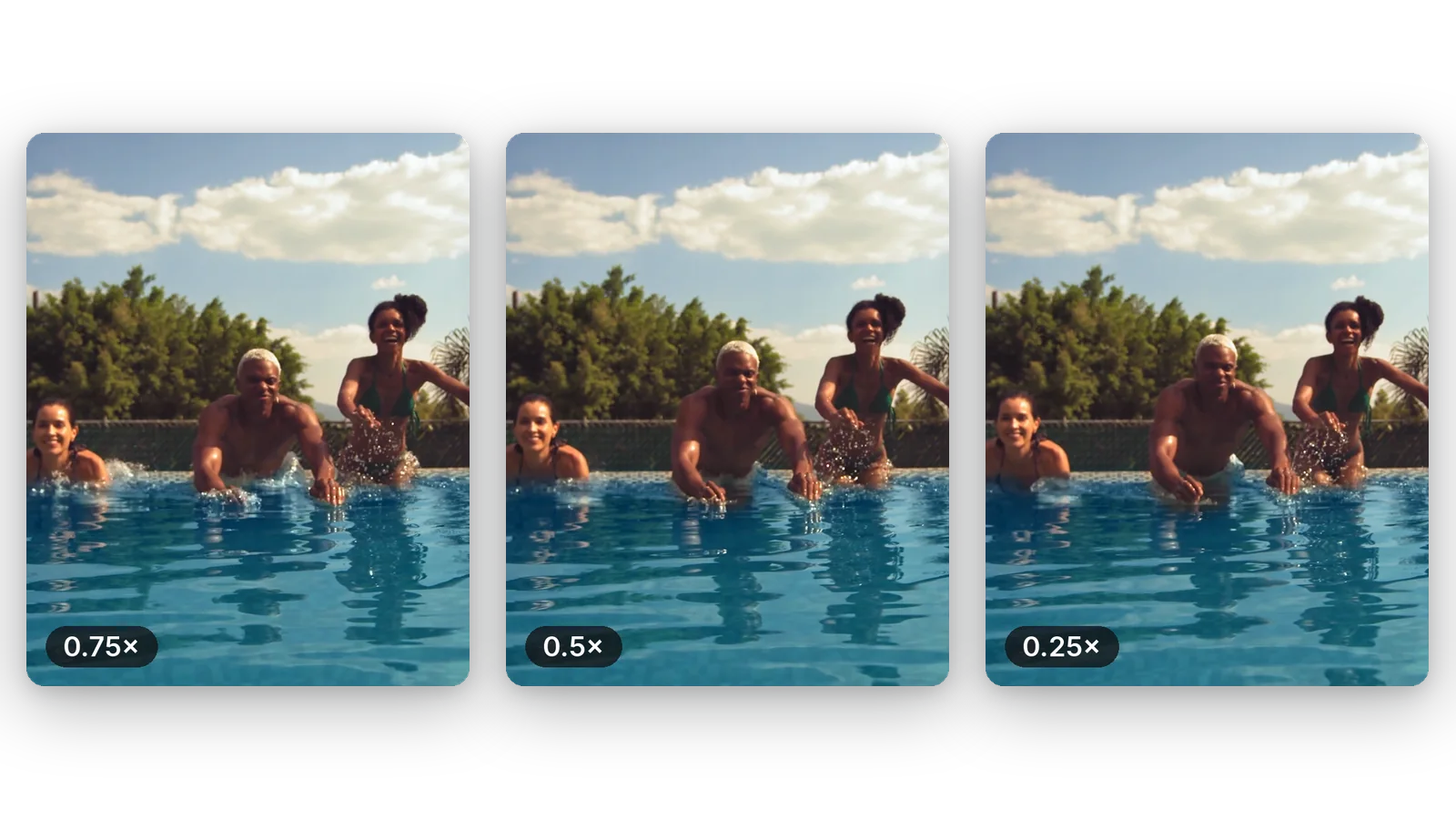
Half speed, three quarters, or all the way down to a quarter of the original pace. You are not stuck with one preset effect: the slider lets you find the pace where the movement becomes readable without dragging on for minutes.
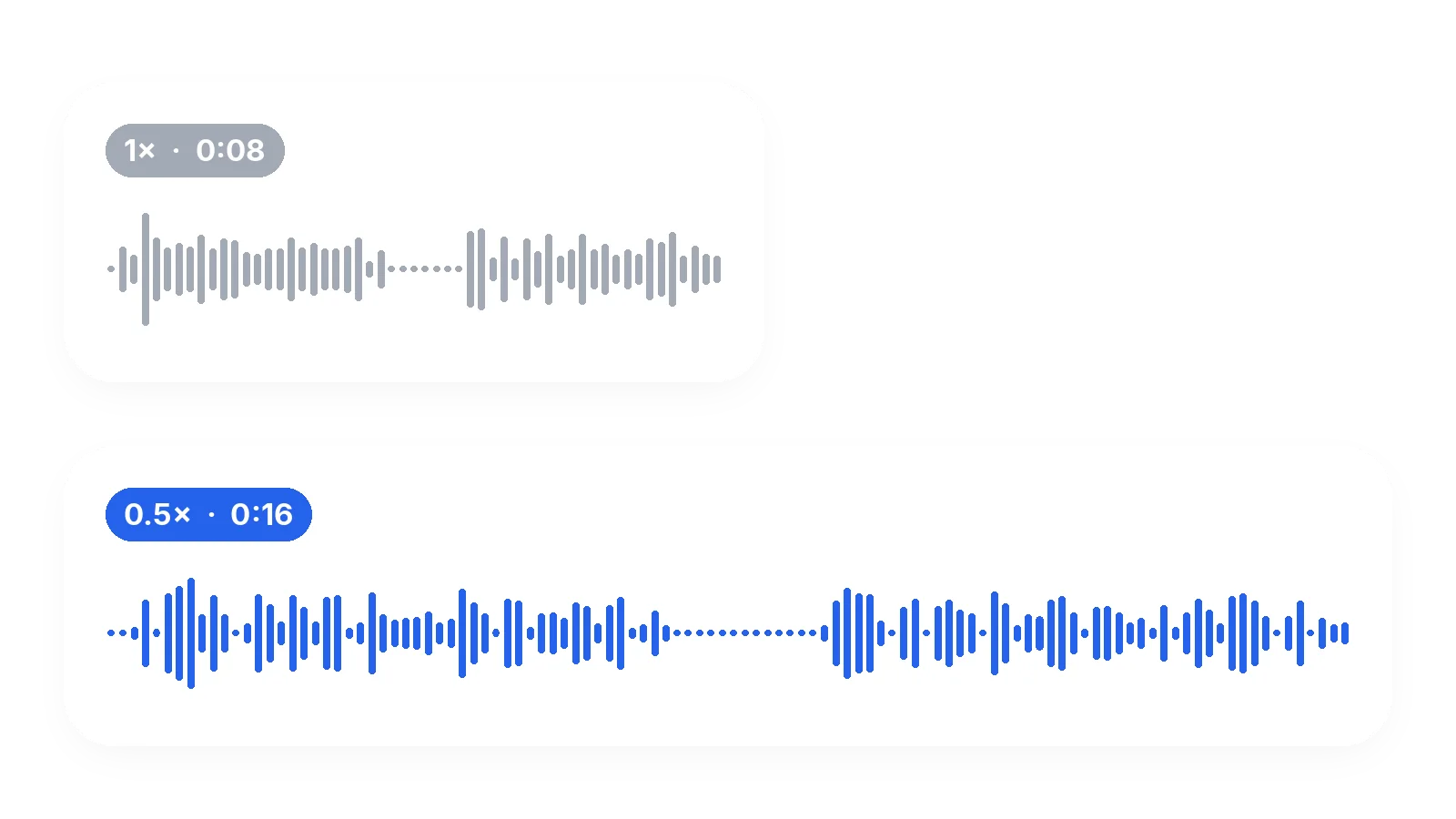
The audio is stretched at the same rate as the picture, so lips, impacts and music stay together. Voices are not lowered into a deep growl. If your clip has no sound at all, it is handled as a silent video.
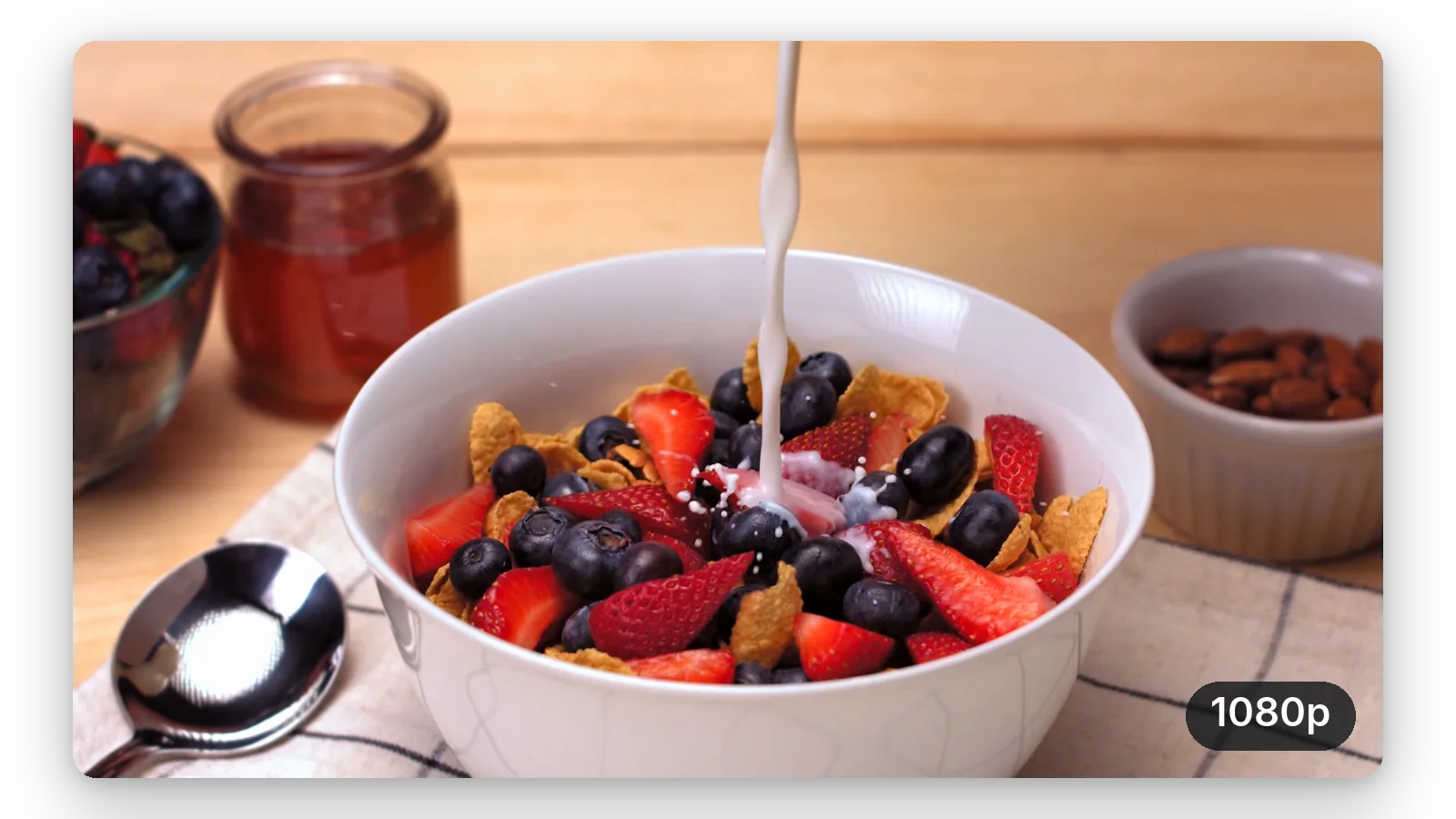
The size of the picture stays as filmed, and the images are not replaced by anything else. That is also why a high frame rate source matters: you slow down real images, and real images are the reason the result looks natural.
It runs from the page, on a computer or a phone browser. Add the file, set the speed, download. The first try is free and needs no signup, so you can judge the result on your own footage before deciding anything.
A golf swing, a tennis serve, a jump or a kick is easier to study at half speed. Coaches and players use the slowed clip to see where the hands, hips and feet are at the moment of contact.
A dog drinking water, a cat landing on its feet, a child blowing out candles: short moments that look funny or tender when they last twice as long. Slow it to 0.5x and share the clip.
You filmed on your phone and wish you had used the slow motion mode. Slowing the file afterwards works on any clip, with the honest caveat that a 60 images per second recording looks smoother than a 30 one.
Pouring sauce, flipping a pancake, opening a box, a fabric falling into place: slowing these gestures gives them weight. Keep the speed moderate, so the movement stays fluid and the viewer is not waiting.
Dancers slow a combination down to check timing and posture, then post the slowed version as a visual effect. A clip filmed in good light at a high frame rate gives the cleanest slow motion.
Add your file, set a speed below 1x on the slider and download the result. The page opens on 0.5x, which doubles the length of the clip. You can go as low as 0.25x. Nothing needs to be installed. Then download the MP4.
Yes, in the sense that it plays more slowly, and for many clips that is enough. It is not the same as footage shot at a high frame rate, because the missing moments between two images cannot be recovered. The result is as smooth as your source allows.
Only when the source is smooth enough. Klipa does not create extra images between the existing ones. Footage recorded at 60 images per second or more gives a fluid result at 0.5x; a 30 images per second clip at 0.25x can look choppy.
Yes. Videos recorded on an iPhone are usually MOV or MP4 files, and both are accepted, up to 2 GB. If you filmed at a high frame rate, the slowed result will be noticeably smoother than with a standard recording.
The sound is slowed at the same rate as the picture, so everything stays in sync. The pitch is kept, which means a voice gets slower but does not turn deep. At 0.25x speech becomes very drawn out, so you may prefer 0.5x for talking.
Yes — the first try is free, with no signup. The video downloads with the Klipa logo; without the logo with a Pass or a Pro plan. You can see the result on your own clip before deciding anything about the logo.
Because the source has too few images for the speed you chose. A 30 images per second clip slowed to 0.25x only has about 7 images to show each second. Try 0.5x or 0.75x, or start from a recording made at 60 images per second or more.
The speed applies to the whole video, evenly. To slow only one moment, cut that moment out first, slow the short clip down, and keep the result as its own video or place it back in your editor. That short clip is then easy to share on its own.
Divide the original length by the speed. At 0.5x a 30 second clip lasts 60 seconds, at 0.25x it lasts two minutes. Remember this before posting on a platform that limits the duration of videos. At 0.75x the same clip lasts 40 seconds.
The picture size stays as it was filmed and no new images are added. The video is saved again as an MP4 with high quality settings, so a very slight loss can exist, as with any re-save. A clean, well-lit source gives the best result.

Your iPhone slow motion video is not one slowed-down movie. It is a 120fps or 240fps stream plus a small instruction hidden in the MOV file that tells Apple’s…

You can shoot slow motion video on iPhone using the built-in Camera app at 120 or 240 fps, trim the slow-motion range in the Photos editor, and then compress the…

You’ve got a long video on your phone or laptop. It starts too early, ends too late, or has a dead middle — and you want to know how to cut a video before you share…
Add a video, set 0.5x or lower, and watch the moment unfold. The first try is free.
No credit card required
Good slow motion comes from two decisions: a source with enough images, and a speed that does not ask too much from it. Start at 0.5x, look at the result, and go lower only if the movement still looks fluid. If a moment is too long, cut the part that matters before slowing it, then turn the slowed moment into a looping GIF to share it anywhere. Whatever the speed, compare the result with the original once: what looked fast in real time is often the part that gains the most.
